From testing devices to managing compliance

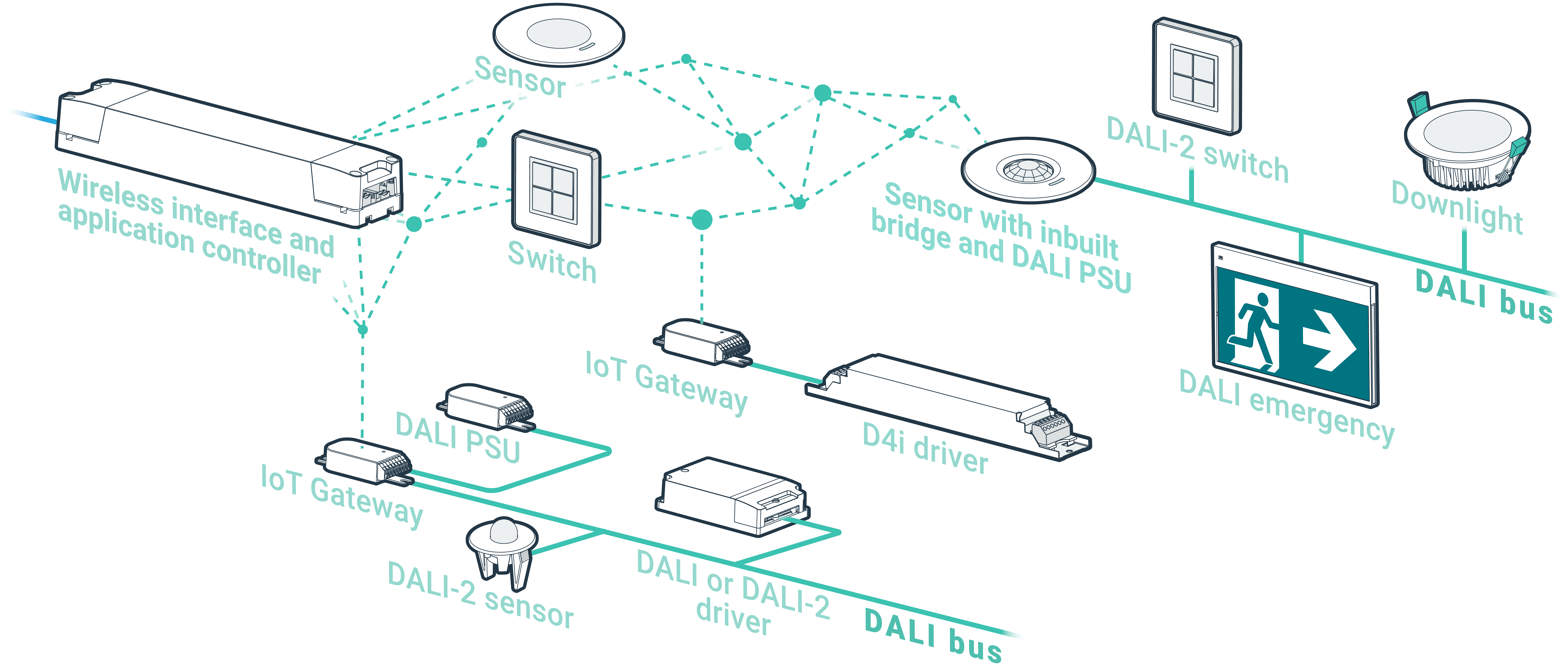
At the heart of zencontrol’s approach is an automated emergency test manager, a cloud portal and DALI-based emergency devices that together schedule, execute and record tests across your entire portfolio.

The result is more than just triggering tests. zencontrol delivers a managed, documented test process that tracks every emergency device location, test, change and user action – so you can demonstrate compliance whenever required.

Alt Text

Built around real-world responsibilities

Owners and asset managers: prove systems were tested and maintained.

Facility managers: see live status and reports by building, floor or tenancy.

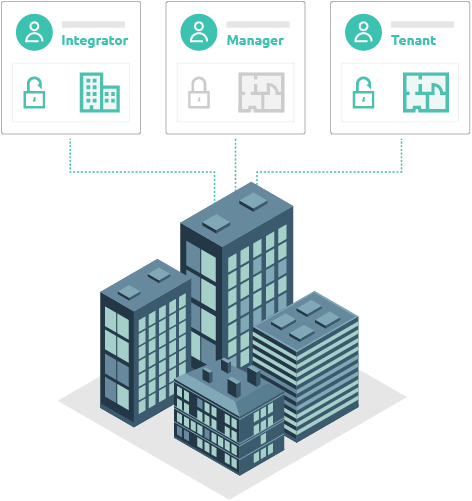
Tenants: access test results for areas they occupy – and only those areas.

Contractors: work within defined scopes, with a full record of what was changed.

Test manager

A certified emergency test manager

zencontrol uses a dedicated test manager to run and track emergency tests. The test manager coordinates:

  • testing of each emergency device
  • repairs and replacements after failures
  • re-tests once faults are fixed
  • compliant recording of tests, changes and fixes

Tests, repairs and re-tests are grouped into a single test window, so every action related to a given test is linked and recorded together. The reported result for a test reflects the whole story – including failed attempts, repairs and successful re-tests.

The test process implemented in the zencontrol DALI-2 application controller is compliant with IEC 62034, the benchmark standard for automatic test systems for battery-powered emergency escape lighting, and has been independently tested and approved by TÜV.

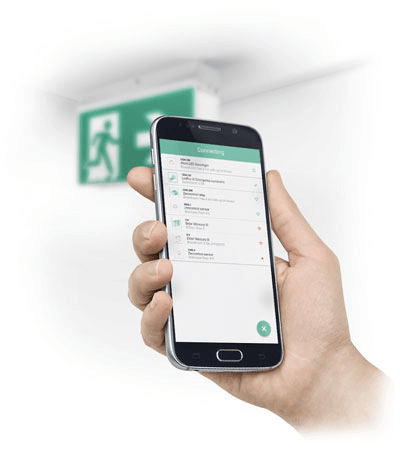
test manager on mobile device image

Device locations

Testing device locations, not just devices

Emergency compliance is about protecting locations in a building, not individual fittings. Over time, fittings fail, are replaced or upgraded – but the obligation to provide compliant emergency lighting at that location does not change.

zencontrol models this explicitly:

  • A device location represents the fixed point in the building where an emergency fitting is required (for example “Level 5 – West corridor – Exit 3”).
  • A device is the physical hardware currently installed at that location.

By tracking test history, failures, replacements and settings against the device location rather than just the current device, zencontrol maintains a continuous compliance history even as hardware is swapped out.

This makes it possible to answer questions such as:

  • How long has this escape path had compliant emergency cover?
  • How many devices have failed at this location, and why?
  • Are repeated faults indicating an environmental issue such as heat, moisture or damage?
  • Was there a device at this location Previously?

The test manager treats each device location as the primary object of the test, so every test, repair and re-test is tied back to the location that must remain compliant over the life of the building.


User access & tenancies

Access control, tenancies and groups

In multi-tenant and complex buildings, people only need to see and manage the areas they are responsible for. zencontrol’s cloud platform provides flexible user access control, tenancy control and grouping:

  • User access control
    Define different account types and roles with controlled permissions.
  • Assign users to one or more sites with specific access levels.
  • Limit who can view reports, change settings or manage devices.

Tenancies and groups

  • Divide a building into tenancies (floors, suites, departments, tenants).
  • Group emergency devices logically (by floor, zone, tenancy or use).
  • Align tests and reports to how the building is actually managed, so each stakeholder sees results for their areas only.

Emergency reports, dashboards and plan views can all be filtered by site, tenancy and group, so:

  • A national facilities team can see tests and status across all sites.
  • A tenancy facilities manager can see only devices, tests and reports for their tenancy.
  • Contractors can be given access only to the areas they are engaged to work on.
building control

Certified test process

Immutable reports aligned with IEC 62034

Automatic test systems for emergency lighting are governed internationally by IEC 62034, which defines how tests must be scheduled, executed and recorded. The standard covers not only how to trigger tests but also the correct operation and proper recording of emergency tests and records.

zencontrol’s implementation of IEC 62034 has been independently tested and approved by TÜV, giving confidence that the test process and reporting are based on a recognised, audited standard rather than proprietary behaviour.

Reports that cannot be changed

In the zencontrol cloud portal:

  • Test results are captured automatically and written to secure cloud storage.
  • The underlying test result data is not editable by end users. New tests can be run and new reports generated, but historical results remain intact.
  • Site records are backed up and retained so that they are available when needed to demonstrate compliance to regulators, certifiers and insurers.

This combination of standard-compliant testing and immutable reporting supports a robust, defensible emergency testing regime.

Backups & resilience

Automatic cloud backups and rapid restoration

Traditional emergency and lighting systems often rely on a single on-site PC holding all project files and test records. If that machine is lost, stolen or corrupted, years of compliance history can disappear overnight and rebuilding the system can take weeks.

With the zencontrol cloud:

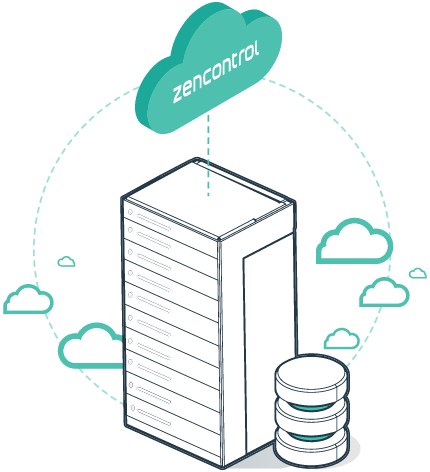
  • Configuration, device locations and emergency test records are stored centrally in the cloud, not just on one local computer.
  • Backups and data retention are managed by zencontrol as part of the platform, aligning with corporate backup and disaster recovery expectations rather than relying on ad-hoc site processes.
  • Built-in backup and change recovery tools allow administrators to roll back unwanted changes using logs and history if a configuration error or malicious action occurs.
  • Cloud backups and restoration tools make it possible to restore even large DALI-2 installations in hours instead of weeks, if configuration data is lost or devices are scrambled.

For sites that prefer local management, the optional zencontrol Onsite software stores configuration on the application controllers themselves and can also produce emergency tests and reports. The cloud enhances resilience with centralised backups and portfolio-wide access, but the day-to-day emergency test logic continues to run on the controllers, ensuring the system keeps operating even if the internet connection is unavailable.

zencontrol cloud backups illustration
zencontrol audit trail illustration

Traceability

Full audit trail for every device location

Beyond test results, zencontrol records the configuration and change history for your system. A detailed field history view allows you to see:

  • the date and time of each change
  • the previous and new value
  • the state of the new value (including any sync errors)
  • the user who made the change (or “zencontrol system” for automatic actions)

Applied to emergency systems, each device location can have a full audit trail of:

  • tests run and their outcomes
  • device replacements and repairs
  • firmware updates
  • configuration and settings changes
  • changes to group, tenancy or test assignments

If someone removes a device from a test, changes a test schedule, or reassigns a device to a different group, the history identifies who did it and when. This level of traceability is critical when questions arise about why a particular device was not included in a test, or why a location did not have coverage at a given time.

It also helps clarify where liability may sit – for example, whether a building owner, facility manager or maintenance contractor had the responsibility to restore a device to service or to its correct test group.

DALI emergency

Compliance with DALI testing methodology

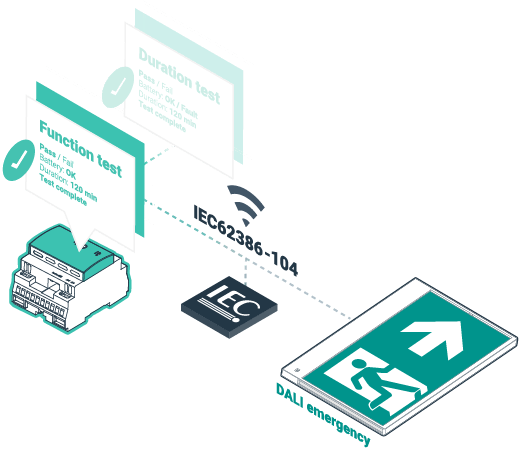
zencontrol is built on DALI and DALI-2 emergency standards, not vendor-specific shortcuts. DALI emergency control gear must implement both:

  • a function test – a quick verification of battery, charger, lamp/driver and circuit operation
  • a duration test – a full discharge to confirm the battery can support the rated emergency duration

DALI emergency devices store their test results and status flags, including pass/fail information and details of failures. The zencontrol test manager uses these flags and timings rather than just reading a final duration number.

This ensures that:

  • tests are started and completed within the defined execution time window
  • delayed or incomplete tests are identified and marked as failed
  • results meet the criteria defined in the DALI emergency parts of IEC 62386, including full use of the required testing flags and status information

For Australian sites, the system can verify that the first duration test for a new device exceeds the required multiple of the rated duration, aligning with AS 2293 expectations.

The outcome is a fully compliant DALI emergency testing methodology – not a partial implementation that only reads duration or basic status fields.

DAlI emergency testing vector
isometric buildings illustration

Multi-site & multi-tenant

Designed for portfolios, campuses and towers

For large portfolios, zencontrol’s cloud architecture, tenancy model and grouping allow:

  • central teams to enforce consistent test policies across multiple sites
  • local operators to focus on the specific buildings or levels they manage
  • tenants to access reports and status for their leased areas
  • reports to be produced per site, floor, tenancy, group or whole-of-portfolio

This supports compliance regimes that require both building-level and tenant-level reporting and reduces the risk that devices “fall through the cracks” between different stakeholders.

Key capabilities at a glance

Together, these capabilities make zencontrol a comprehensive emergency test manager: standards-aligned, cloud-driven and built for full traceability from each device location to every user action.

location icon

Device locations
Emergency tests are tracked against fixed device locations, not just the current hardware. This maintains a continuous compliance history even as fittings are replaced over time.

testing icon

Test manager
A dedicated test manager controls tests, repairs, re-tests and compliant recording within defined test windows, making every test fully traceable from start to finish.

compliance icon

Compliance with standards
The emergency testing process aligns with IEC 62034 and relevant DALI emergency standards and is independently verified by TÜV, supporting Australian AS 2293 requirements.

clock icon

User access & traceability
Fine-grained user access control, tenancy control and detailed field history provide full traceability of who did what, where and when – including configuration and test changes.

groups icon

Tenancies and groups
Buildings can be divided into tenancies and logical groups, ensuring occupants, tenants, facility managers and owners see the tests and reports that apply to their areas.

cloud backup icon

Backups & resilience
Centralised, cloud-managed backups, rapid restoration tools and resilient controller architecture help protect emergency testing data and configuration against hardware failure, cyber incidents and human error.

Are you ready to be part of our revolution?

Find a local supplier