grid view tablet

Cloud tools

See your entire site at a glance

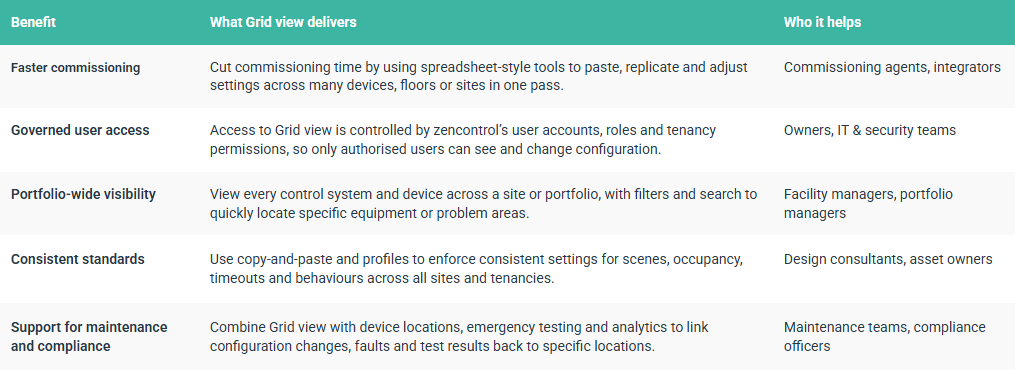
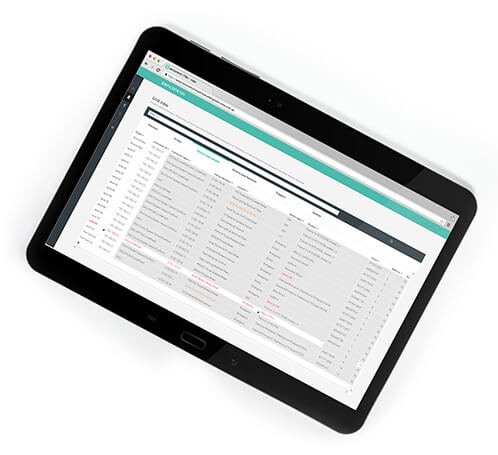
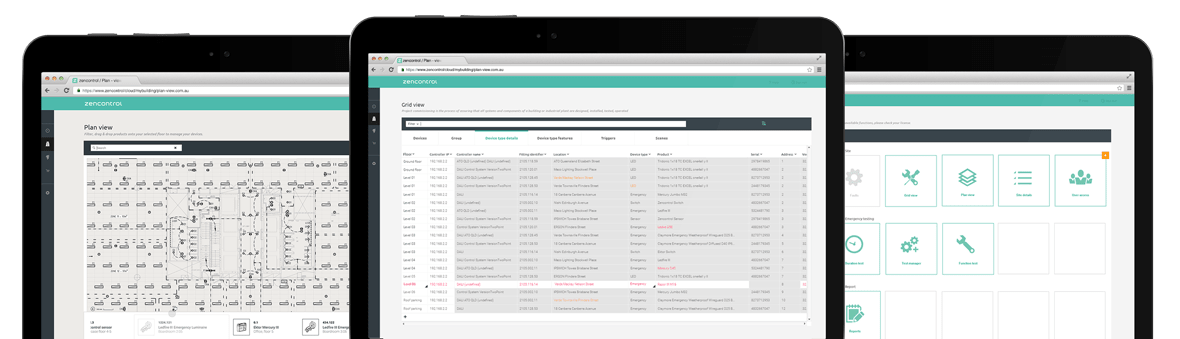
Grid view brings every controller, device, location and setting into a single, live grid in the zencontrol cloud. Instead of hunting through menus or logging into individual systems, you can browse the whole installation like a familiar spreadsheet.

Rows represent objects such as control systems, drivers, sensors, device locations or assignments. Columns expose the key properties and settings you need to commission, tune and maintain the site. Changes made in the grid are synchronised back to the field devices via the zencontrol controllers.

Combined with zencontrol’s distributed architecture and user access control, Grid view becomes the central workspace where commissioning agents, facility managers and contractors work together – each within their own permissions and responsibilities.
Built for real commissioning and operations

  • Commission new sites, floors and tenancies directly from the cloud.
  • View devices by type, instance or assignment to match the way you work.
  • Filter and search across thousands of rows to find exactly what you need.
  • Apply bulk changes, copy and paste settings and enforce standards at scale.
  • Use colour-coded feedback and status columns to see what is in sync and what needs attention.
  • Grid view works alongside plan view, analytics and emergency testing to provide a complete toolset for designing, operating and optimising modern lighting systems.
Alt Text

How it works

Spreadsheet-style control for every object in the system

Grid view organises your site into perspectives that reflect different tasks and roles. Each perspective offers tabs that focus on a specific object type, making it easy to drill into the part of the system you care about without losing the big picture.

light icon

Device types

See all DALI drivers, emergency fittings, relays, Modbus devices and more in structured tables. Sort, filter and group devices by type, driver characteristics or diagnostic status, then adjust parameters in bulk.

  • Classify devices for filtering and reporting.
  • Use diagnostic views to highlight drivers and light sources that need attention.
  • Quickly verify that firmware versions and settings match your standards.
input icon

Instance types

Manage switches, push buttons, occupancy and light sensors, touchscreens and other inputs in one place. Configure labels, behaviours and profile assignments without walking the site.

  • Edit occupancy sensor behaviour and timings across many rooms.
  • Configure push buttons and touchscreen tiles for consistent experiences.
  • Standardise control layouts across floors, buildings and tenancies.
networking icon

Assignments & logic

Use the assignment views to link devices, profiles and control systems. Define which profiles apply where, how sensors and switches drive lighting behaviour and how everything should respond under different conditions.

  • Assign profiles to control systems from a single grid.
  • Roll out new logic to selected areas, floors or tenants.
  • Review assignments to ensure they match the intended design.

Benefits

Why Grid view matters for user access and governance

Grid view is designed to make complex lighting portfolios manageable without sacrificing control or security. It pairs the speed of bulk editing with the discipline of individual user accounts, roles and tenancies.

what grid view delivers table

User access

Grid view plus user access control

user access control vector

Individual user accounts
Every person using Grid view signs in with their own zencontrol account. There are no shared logins. This allows the platform to authenticate each user, apply the correct permissions and maintain a traceable history of changes made through the grid.

When a user’s role changes – or when a contractor leaves a project – their access to Grid view, specific sites or tenancies can be updated or removed immediately, without affecting other users.

Roles, sites and tenancies
Access to Grid view is scoped by the same role and tenancy model used across the zencontrol cloud:

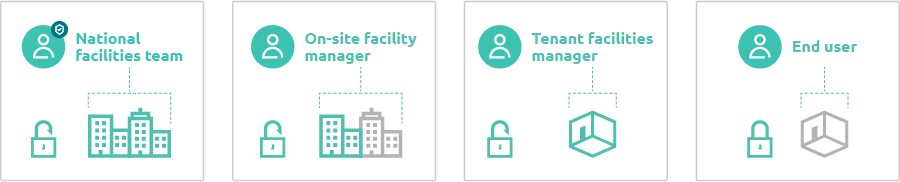
  • Site owners can see and configure all devices and control systems on a site.
  • Site members can be limited to viewing or editing specific control systems, device locations or features.
  • Tenancy owners and members can work only within their leased areas, even when the physical infrastructure is shared.

Feature visibility and least-privilege access
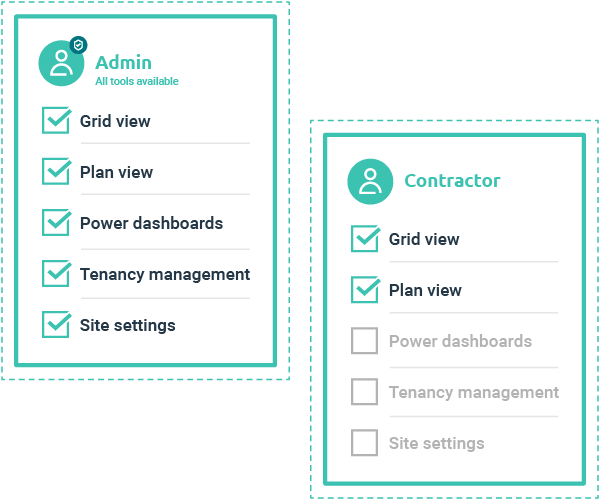
Feature visibility options make it possible to show Grid view only to users who need it. For example, a national facilities team might have full Grid view access across multiple sites, while local tenants see only plan view and simple control tools for their own areas.

This approach supports a “least privilege” model: powerful configuration tools are made available only where they are required, reducing the risk of accidental or unauthorised changes.

Audit trail of changes
Behind the scenes, zencontrol records who changed what and when. Changes made through Grid view are captured in field history and audit logs, so it is always possible to trace configuration changes back to an individual user and to the devices and locations affected.

This level of traceability is particularly important in emergency systems and for compliance-driven environments where configuration changes can affect safety outcomes.

feature visibility options vector

Workflows

Typical ways customers use Grid view

Grid view organises your site into perspectives that reflect different tasks and roles. Each perspective offers tabs that focus on a specific object type, making it easy to drill into the part of the system you care about without losing the big picture.

building icon

Commission new sites and floors

  • Claim controllers and synchronise devices into the cloud.
  • Address, group and configure devices directly in Grid view.
  • Apply profiles and logic assignments across new areas in a few clicks.
  • Standardise behaviour between similar rooms, floors or buildings.
cloud icon

Adjust behaviour without visiting site

  • Change occupancy timeouts or light levels for selected zones.
  • Reconfigure push buttons and touchscreens when layouts change.
  • Update schedules and profiles to support new operating hours.
  • Roll out changes across multiple sites from a single interface.
maintenance icon

Support maintenance and upgrades

  • Locate failed or end-of-life devices from diagnostic views.
  • Replace devices while preserving configuration and history.
  • Track firmware versions and plan upgrades in a controlled way.
  • Use filters and search to focus on specific device types or issues.

Platform

Part of a complete, resilient lighting platform

Works with distributed, multi-master control
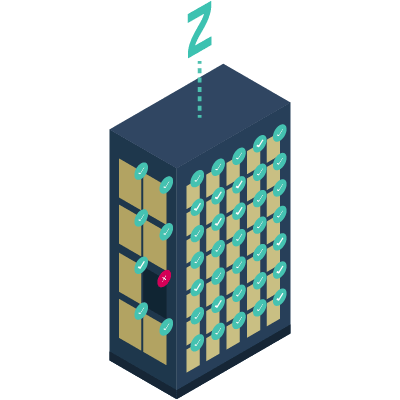
Grid view operates on top of zencontrol’s distributed, IP-based architecture. Each DALI application controller holds its own configuration and logic, so the building continues to operate even if the head end or internet link is unavailable. Grid view simply becomes the fastest way to read and write that configuration when the cloud is connected.

This means you get the convenience of cloud-based tools without turning your lighting system into a single point of failure.

resilient building illustration
site ownership vector

Ownership & onboarding

Clear site ownership and controlled onboarding

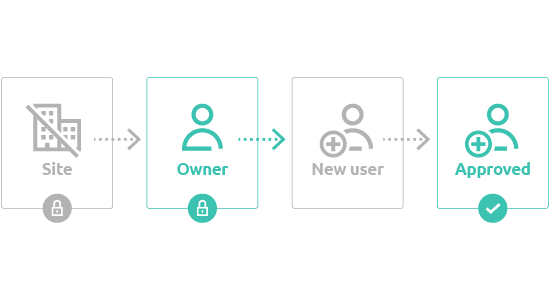
Every site in zencontrol has an owner, typically the integrator, installer, site manager or physical building owner. If a control system has already been claimed, new users must obtain access from the current site owner, ensuring that ownership and access changes are deliberate and recorded.

When ownership needs to change – for example, after a building sale or contract change – zencontrol provides a structured process that can include mediated contact with the current owner and, where necessary, an ownership dispute workflow. This protects both the outgoing and incoming parties and ensures that control systems cannot be taken over without proper authorisation.

Combined with the device-level chain-of-proof mechanisms used when adding controllers to a site, this gives a strong assurance that only authorised stakeholders can claim or re-provision equipment.

Aligned with modern security expectations

All communication between controllers and the cloud is protected using modern TLS and cryptographic standards, with each device holding unique keys. Combined with individual user accounts, multi-factor authentication, access control lists and immutable logs, Grid view operates within the same security posture as the rest of the zencontrol platform.

For security and IT teams, this means lighting control – including powerful tools like Grid view – can be brought into standard policies and audits rather than being treated as an unmanaged legacy system.

zencontrol security vector

Are you ready to be part of our revolution?

Find a local supplier